Early accessNot AIFor water systems and monthly billing
Read the meter. The bill goes out.
Asto Bill Pay is for water systems and other businesses that bill their customers. Readings come in from the field, each one becomes a bill from your own rates, and your customers pay online or still come in to the office.
The office works in any browser · Meter readers use Asto Clock on their phones · Customers pay on their own phones
goasto.com/account
Retire the route book and the billing run.
Readings on a clipboard, typed in at the office, bills worked out one by one, and a line at the window on the first of the month. Here is what changes with Bill Pay.
By handWith Asto Bill Pay
Readings written on a route sheet, then typed in again.
The reader types it once, at the meter, in Asto Clock. The phone’s GPS finds the meter, and the reading goes straight to the account.
Each bill worked out on a calculator from the rate sheet.
Every reading is priced from your own rates, posted to the account and emailed as an invoice by itself.
A misread meter turns into a $900 bill and an angry phone call.
A reading lower than the last, or far above the usual, waits for you, not charged and not sent.
Customers can only pay by mail or at the window.
They pay online on their own phone, any time, or still come in and pay at the counter.
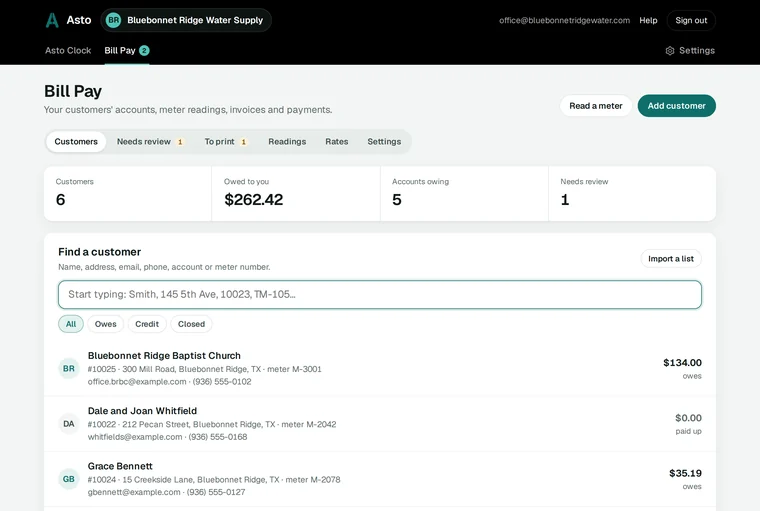
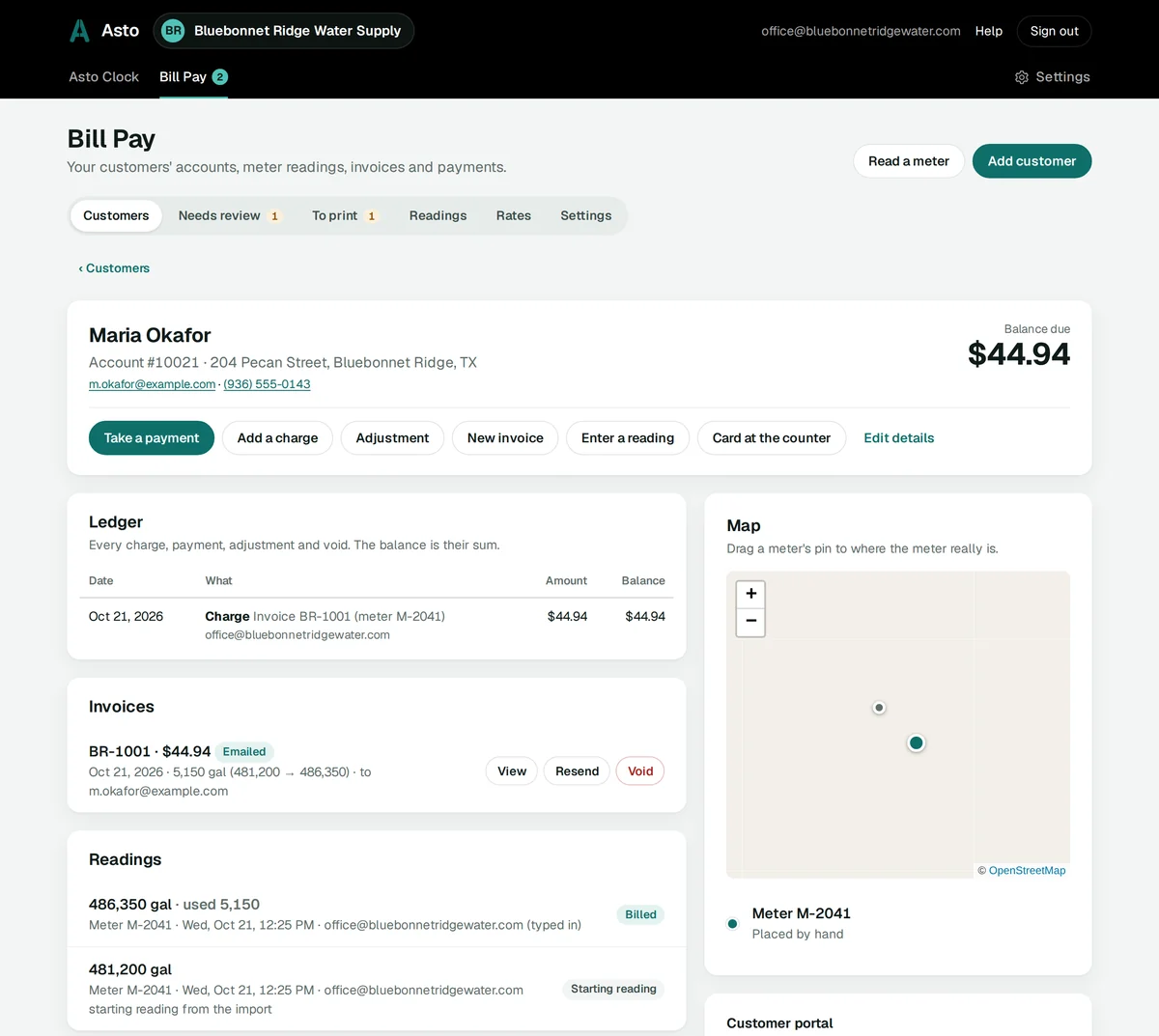
Find any customer by name, address, email, phone, account or meter number as you type. Their page has the balance due, every charge and payment, their invoices, their meter readings and their meters on a map. Take a payment, add a charge or make an adjustment right there.
The balance is always the sum of the ledger. Nothing is ever erased: a mistake is fixed with an adjustment, and a canceled invoice with a void you can see.
Bring your customer list from a spreadsheet or your old billing program. You match the columns and see a preview before anything is saved.
A closed account is kept, with its ledger and invoices.
goasto.com/account
Meter readings
Stand at the meter. Type the number.
Give anyone on your Asto Clock team the Meter reader role and Read meter shows up in Asto Clock on their phone. Its GPS lists the meters nearest first. They confirm the right one, type the reading, and it goes to the customer’s account and on to billing.
When two meters are close together, nothing is picked for them: the reader always confirms the meter.
No meter nearby? They find it by number or address, and the reading is flagged for you, never for them.
Each reading keeps its time, its reader and where it was taken. The first one at a meter puts that meter on your map.
Readers see addresses, meter numbers and the last reading. Never a balance or a bill.
Meter M-2041 · 204 Pecan Street
0486350
gallons
M-2041204 Pecan StreetNearest
M-2042212 Pecan Street
M-20779 Creekside Lane
Your rates
Your rate sheet, worked out for you.
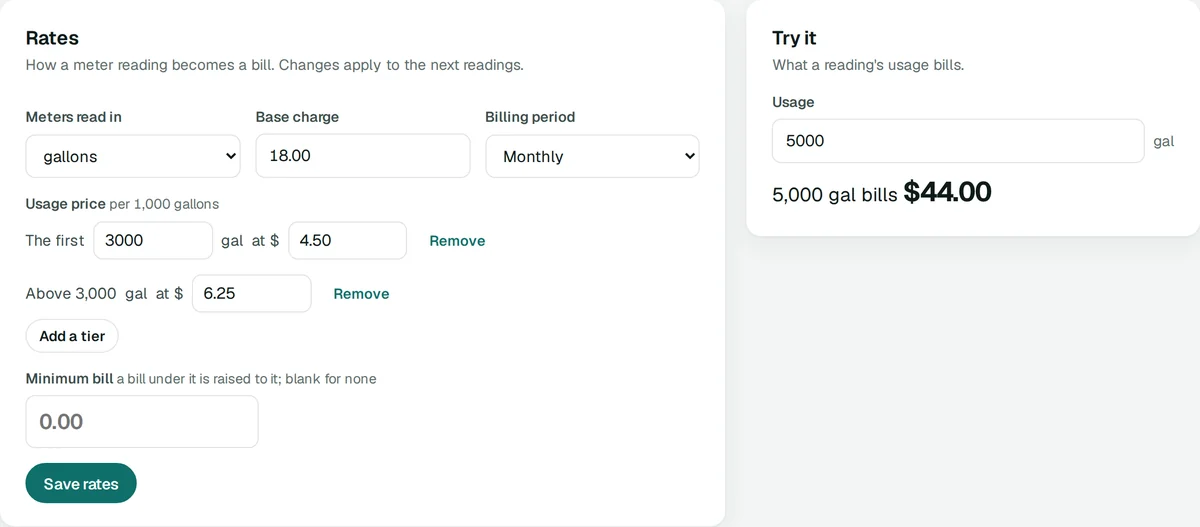
Meters read in gallons or cubic feet. A base charge for each month or quarter, then a price per 1,000 gallons or 100 cubic feet, in as many as eight tiers, and a minimum bill if you have one. Type any usage under Try it and see what it bills before you save.
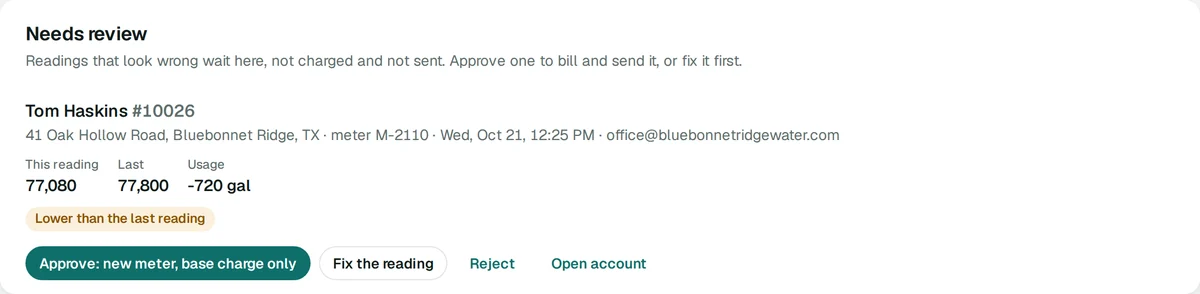
Needs review
A wrong reading never reaches a customer.
A reading lower than the last one, the first reading at a meter, or usage more than three times the customer’s recent average waits in Needs review: not charged and not sent. Approve it with one tap and it bills and sends, fix the number first, or reject it.
Paying the bill
They pay on their phone. Or they still come in.
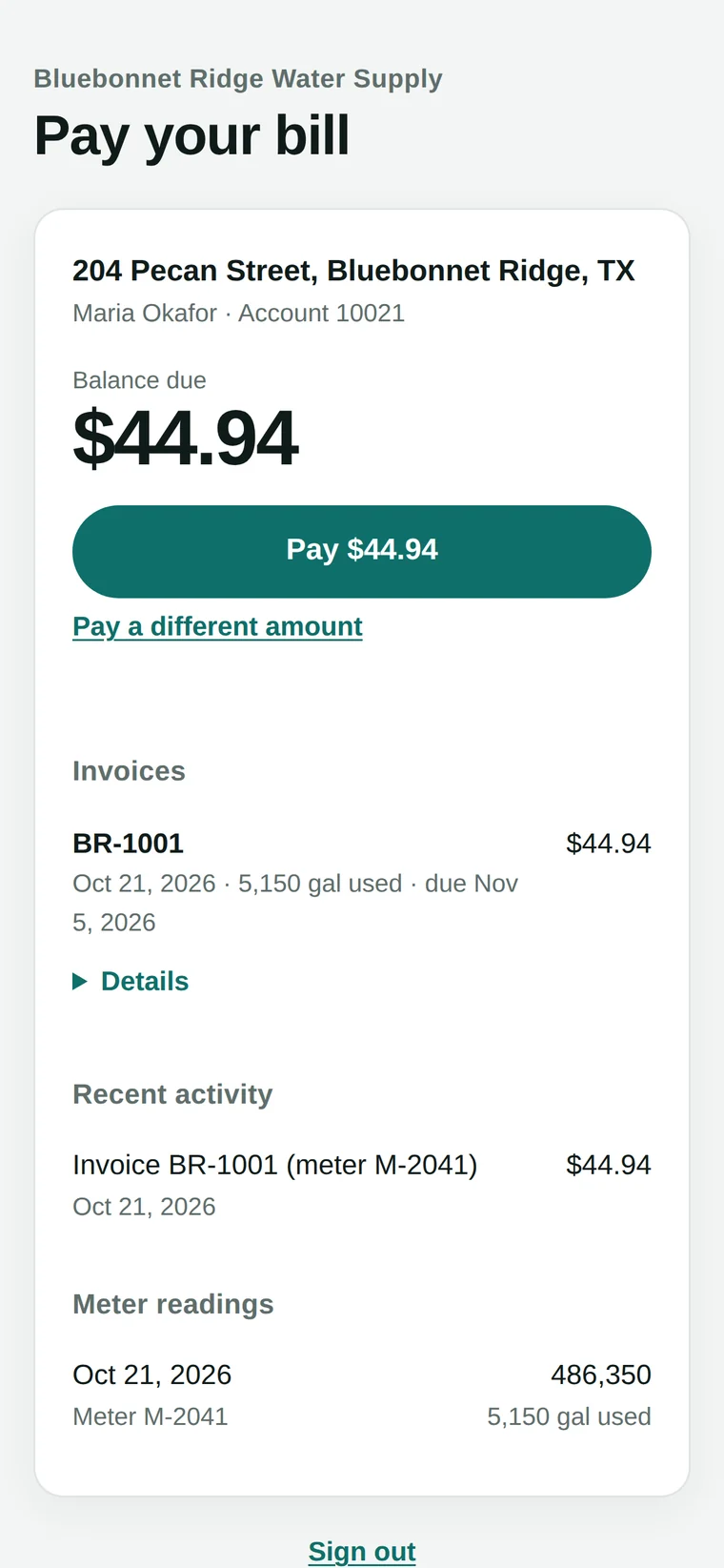
Every invoice is emailed from your business’s name with a link to pay. Your customers sign in with a code sent to their email and see their balance, invoices, payments and readings, then pay the balance or another amount by card. The money goes into your business’s own Stripe account.
Each customer sees only the accounts with their email on them.
The pay page is on goasto.com, or on your own website when we set it up with you.
At the counter, open Card at the counter: the customer pays on their own phone from a link or QR code. Cash and checks are recorded the same way.
No email on file? The invoice goes on your To print list instead.
At the office
The everyday billing work, done in minutes.
Add what they owe
A charge, a payment or an adjustment on any account, each with its date and a note.
Invoices by hand
Make an invoice for anything, resend one, or void one with a reversing entry.
To print
Invoices for customers with no email, ready to print and mark printed.
Not sent
An email that didn’t go through is tried again by itself, and you can send it now.
Your team
The billing role works the accounts and readings; a bookkeeper can look without changing anything. Rates stay yours.
Typed-in readings
A customer phones in their own reading? Enter it on their account and it bills the same way.
The office. The route. The customer’s couch.
The office
Customers, rates, readings, invoices and payments, in your Asto account in any browser.
Early access
Meter readers
Read meter in Asto Clock on their own phones, the same app they clock in with.
Your customers
Their balance and invoices on their own phone or computer, and a Pay button. No app, no password.
Questions offices ask.
Who is Bill Pay for?
Businesses that bill their customers again and again from what they used, like a water system reading meters every month. It is an add-on to your Asto account.
Can I bring my customer list?
Yes. Import a CSV file from a spreadsheet or your old billing program, one customer per row. You match its columns, such as account number, service address, meter number, last reading and opening balance, and check a preview before anything is saved.
How do meter readers send readings?
In Asto Clock on their phone. Anyone on your team with the Meter reader role gets Read meter: the phone’s GPS lists the meters nearest first, they confirm the meter and type the reading. The office can also type in a reading on a customer’s account.
What if a reading is wrong?
A reading lower than the last one, the first at a meter, or more than three times the customer’s recent average waits in Needs review, not charged and not sent, until you approve it, fix it or reject it.
How do customers pay?
Online by card on their own phone or computer, after signing in with a code sent to their email, or at the office: cash, check, or a card payment they make on their own phone from a link or QR code you show them.
Where does the money go?
Into your business’s own Stripe account. You connect it once on Stripe’s own page, and if your business already connected Stripe for Asto Shop or Asto Payments, Bill Pay uses that same account.
What does it cost?
Bill Pay is in early access. Stripe takes its own card fees in your Stripe account. Email [email protected] and we’ll set it up with you.
Asto Bill Pay
Billing day, without the billing run.
Tell us about your customers and your rates, and we’ll set Bill Pay up with you.
Bluebonnet Ridge Water Supply and its customers, in the screens above, are made up, shown in the real Bill Pay tab and pay page. The meter reading drawing is an illustration. Asto is run by Nerd Systems LLC, Houston.