AI assistant for your websiteAnswers 24/7In your business’s name
Answered at 2 AM.
Asto Pro is the assistant on your business’s website. It answers customers day and night from what you’ve told it, saves their name and number, and sends you the questions it can’t answer, so you answer each one once.
Asto Pro sits on your website and answers visitors from what you’ve told it about your business: hours, services, prices, policies. You choose its name, its greeting and how it talks. It replies in the language the visitor writes in.
It never guesses a price you haven’t given it.
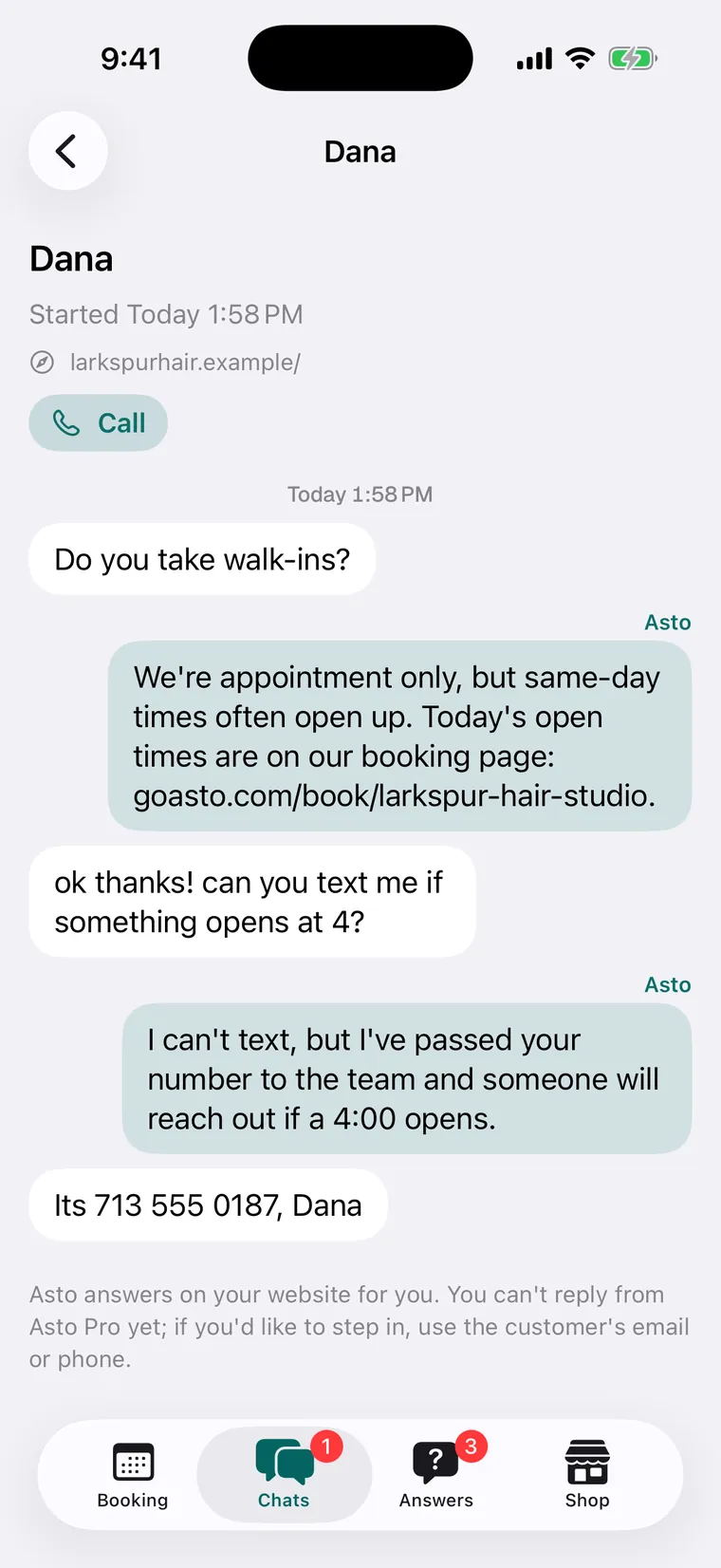
When it can’t help, it says it has passed the question on and gives the customer your phone number.
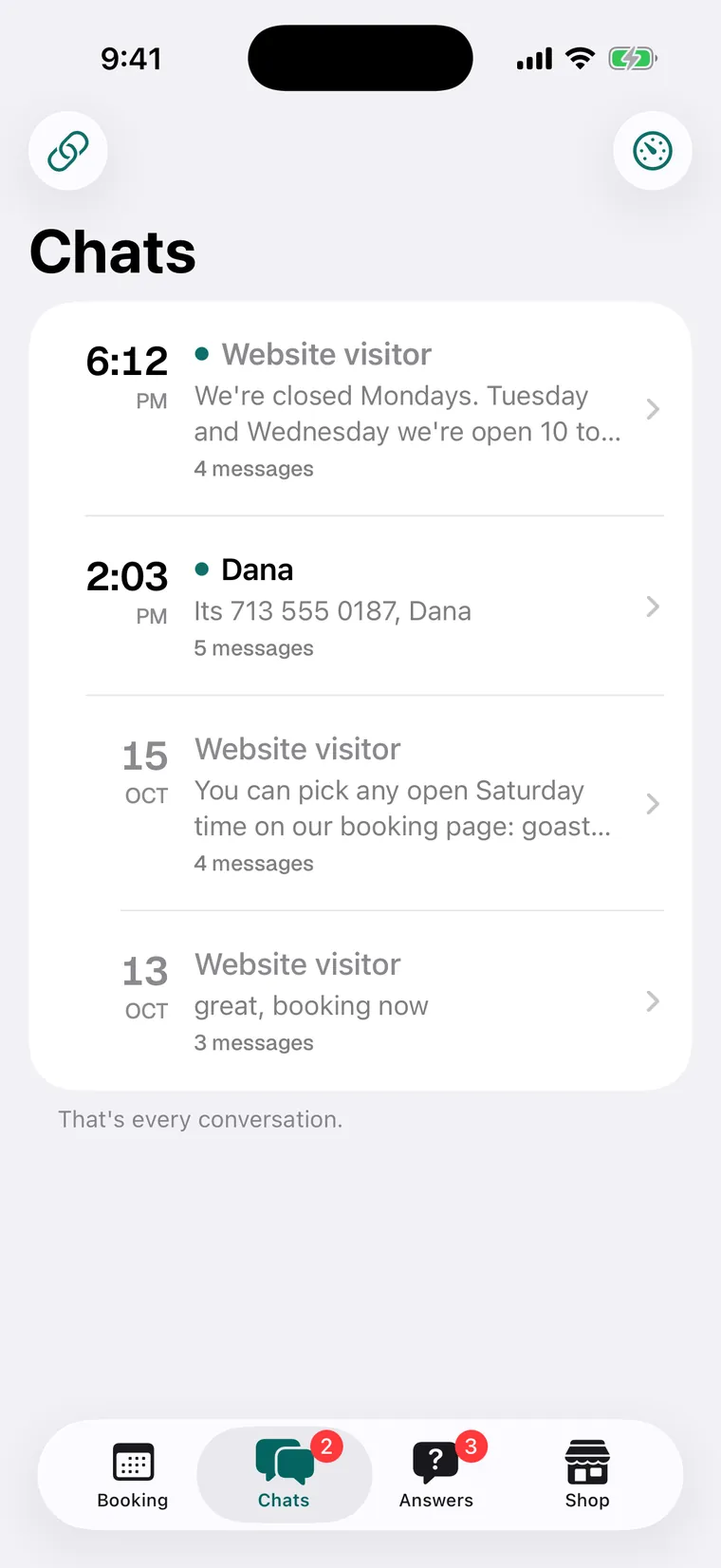
Every chat is kept, with the page it started on and any name, phone number or email the customer gave.
Call a customer back straight from the chat.
Answers
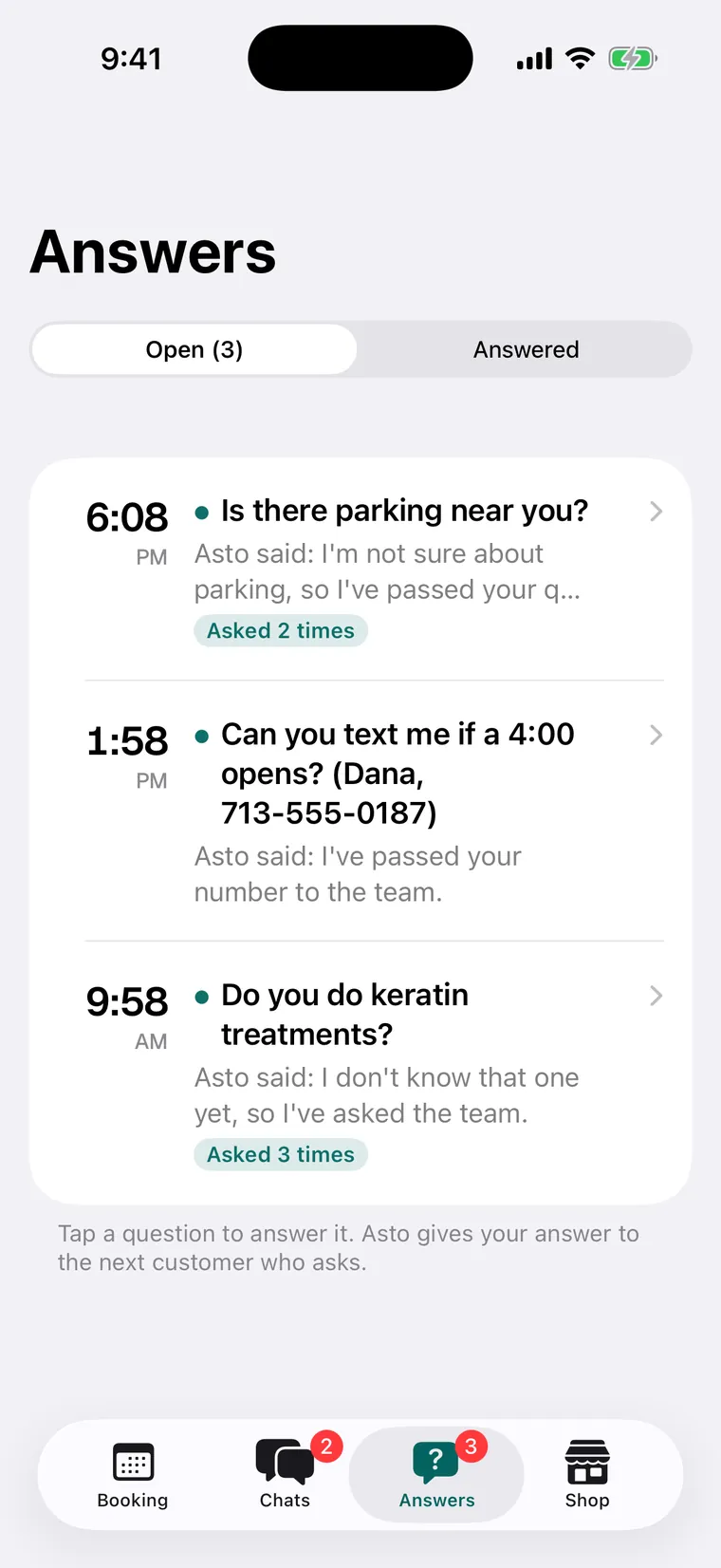
It asks you once. Then it knows.
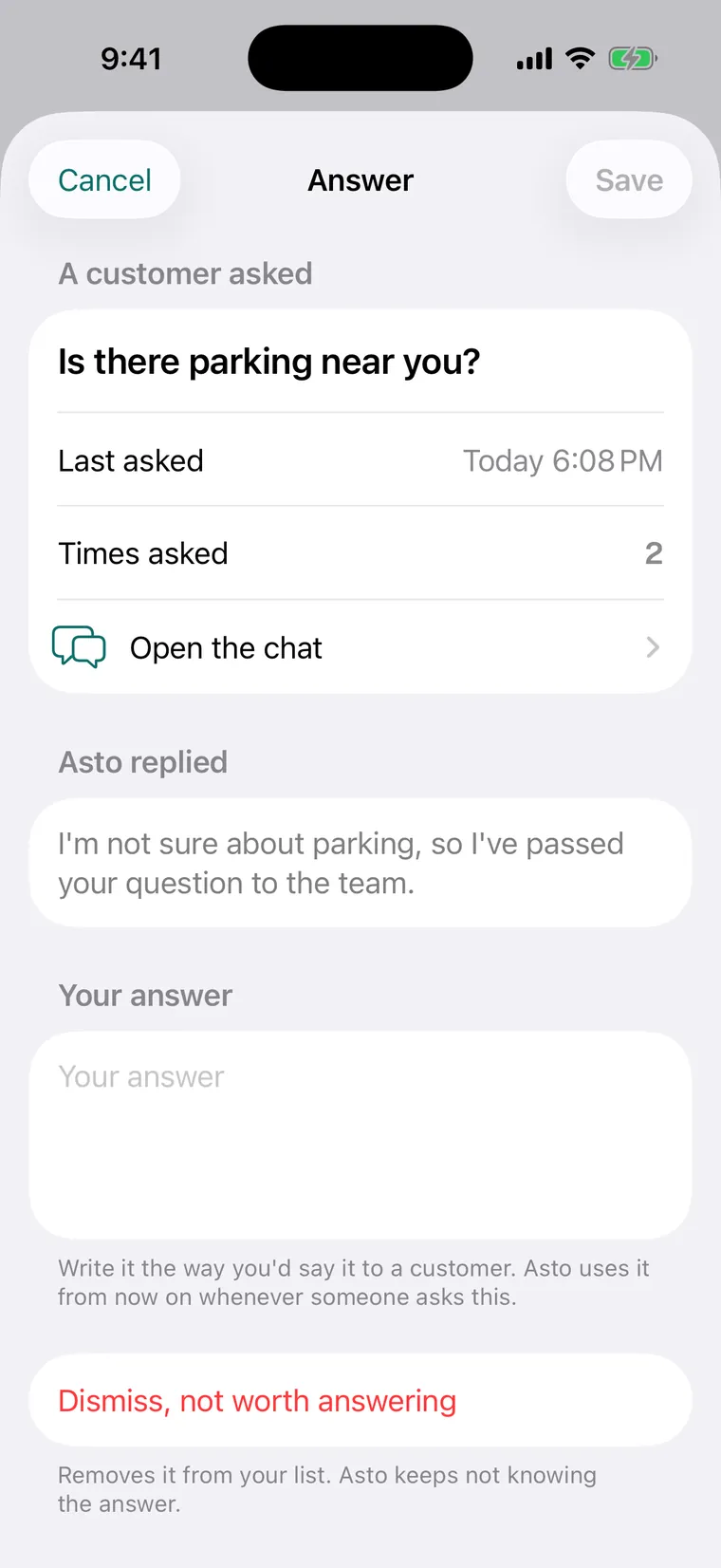
When a customer asks something it doesn’t know, the question lands in Answers, with what the assistant told them and how many times it’s been asked. Write the answer the way you’d say it to a customer, and the assistant uses it from the next person who asks.
Open the chat a question came from, in one tap.
Dismiss the ones not worth answering.
A push on your iPhone for each new chat and question.
With Asto Booking
From a question to a booking, in one tap.
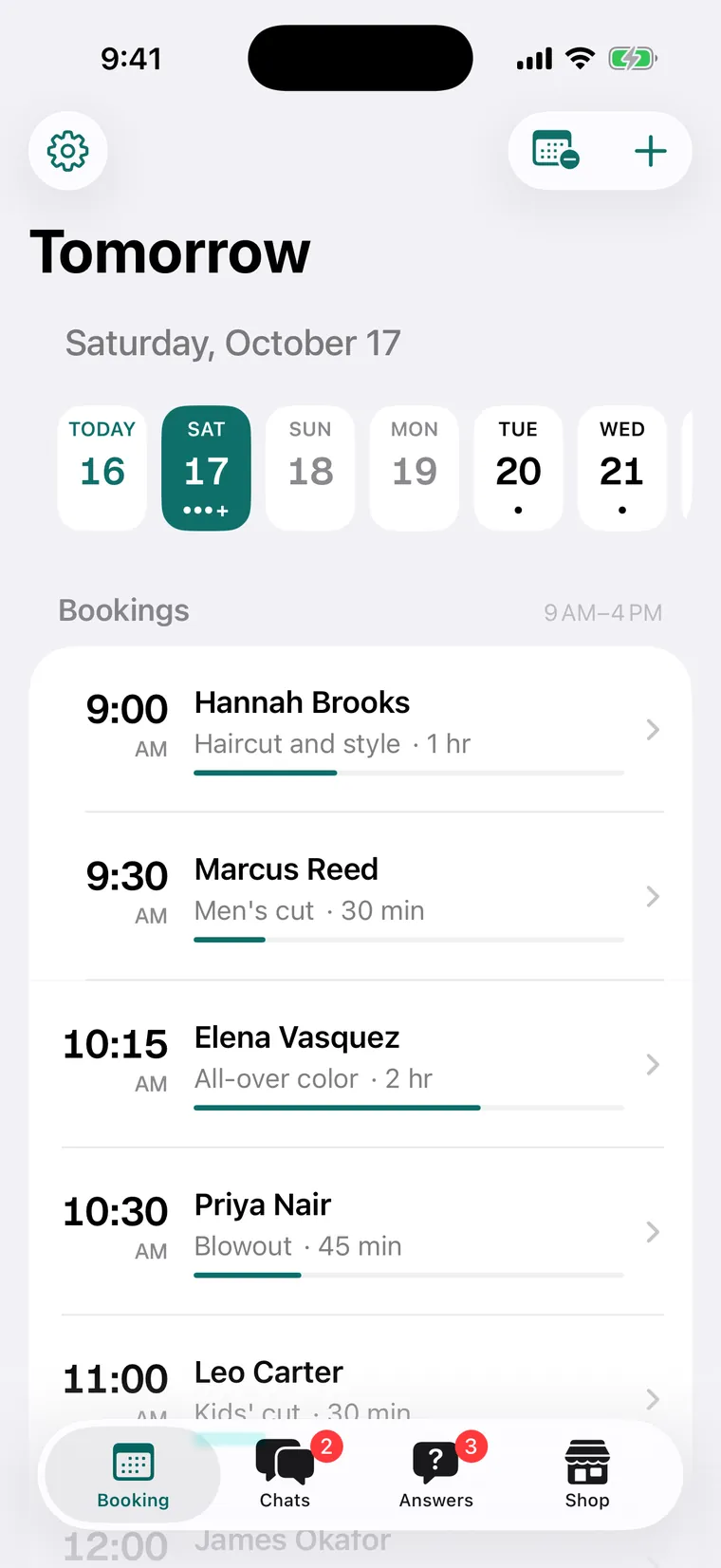
Turn on Asto Booking and, when a customer wants an appointment, the assistant gives them your booking page. They pick an open time there, get a confirmation by email, and the booking goes on your calendar, in the same app.
Asto Booking is its own tool, with its own price. See Asto Booking.
Your calendar, chats and answers in one place.
Asto Payments
Part of Asto ProNot AITap to Pay on iPhone
Bill the job before you leave the driveway.
For plumbers, electricians and anyone who works at the customer’s place. Turn on Payments in Asto Pro, with no shop, catalog or shipping to set up. Bill the job on the spot and get paid before you pack up, so there’s nothing to sort out at home that night.
1The customerPick them from your customers, or add them right there if they’re new.
2Parts and laborA line for each part you bought and for the time the job took.
3The amount owedAdded up for you, so you and your customer see the same total.
4The invoiceEmail it to your customer from the job.
5PaidCash? Mark it paid. Card? Take Tap to Pay on your iPhone for the amount.
9:41
Customers
Ms. Delgado
Invoice · today
Water heater valvePart$38.00
Labor, 1 hrLabor$95.00
+ Add a part or labor
Amount owed$133.00
Tap to Pay
Email invoice
Mark paid
Paid · $133.00Tap to Pay · into your Stripe
Illustration, with a made-up customer.
Quick payment
No bill needed: type any amount, tap, done. Quick payments are kept in their own list, apart from your invoices.
Into your own Stripe
Every payment goes into your business’s own Stripe account. You connect it once, when you turn Payments on.
Tap to Pay on iPhone
Your customer taps their card or phone on your iPhone. There’s no card reader to buy or carry.
Early accessInvoices, cash and checks work in your Asto account today. Tap to Pay arrives with the Asto Pro iPhone app, coming to the App Store in the United States. More about Asto Payments.
Also in Asto Pro
Yours to set, yours to keep.
Instagram and Facebook
The same assistant answers comments and DMs on your business’s Instagram and Facebook, in the same Chats. It switches on for every business once Meta approves Asto’s app. More about it.
Your own Anthropic key
Answers are written by Claude, from Anthropic, on your own key. You pay Anthropic directly for what your assistant uses.
A daily cap
Set the most it may spend in a day. At the cap, customers are given your phone number, and you get a note.
What it knows
Your business, in your words: the details you give it and every answer you add. Change them any time in your Asto account.
Leads by email
Turn on lead emails, and you get an email the first time a customer leaves their details in a chat.
Your data
Export every chat and answer in one file, whenever you want.
On your website. In your pocket.
Your website
The chat your customers see, answering under the name you chose.
iPhone
The Asto Pro app: Chats, Answers, Booking and Shop, with a push for each new chat, question and booking.
Coming to the App Store
Any browser
Your Asto account: chats, answers, what the assistant knows, how it talks, your key and cap, and billing.
How it compares.
Well-known AI assistants for business websites, on the things Asto Pro does. Theirs are as each company describes them on its own pages.
Feature
Asto Pro
Tidio (Lyro)
Podium
Chatbase
Answers website chat 24/7
Yes, under the name you choose
Yes
Yes, in its webchat
Yes
What it answers from
What you tell it, and every answer you add
Your support content, read automatically
Your services, pricing and policies
Your help center, files, links and Q&As
Questions it couldn’t answer
Filed for you; your answer is used from the next chat
Handed to your team, and it learns from the reply
Applies your corrections
Shows where it’s asked for more than it knows
Takes contact details
Name, phone and email, kept with the chat
Captures leads
Captures leads
Qualifies leads
Booking from a chat
Sends your Asto Booking page; they book there
—
Books onto your calendar
Books demos, with Cal.com
Hand-off to you
A push for each new question, and your number for the customer
Alerts your team
Escalation rules
Escalations to your inbox
Instagram
Comments and DMs, once Meta approves Asto
DM flows; comments in its inbox
DMs, story replies and mentions
On Meta apps
Owner’s iPhone app
Coming to the App Store
iOS and Android
On the App Store
—
From each company’s own product pages, read October 16, 2026. A dash means it isn’t listed there. What each offers can depend on its plan. Tidio, Lyro, Podium and Chatbase are trademarks of their owners; Asto isn’t affiliated with any of them.
Pricing
Asto Pro pricing
$50/month
Or yearly: $500/yr, 2 months free
+ $250 one-time setup, on the first invoice, only to add Asto Pro to your own existing website. No setup on an Asto Site.
A module on your Asto account.
Bring your own Anthropic key — usage billed to you by Anthropic
Making your Asto account is free; you add the assistant from it
No free trial: you pay at checkout when you add the assistant, and it starts right away
It answers from what you’ve told it and the answers you’ve added, and it never guesses a price. When it doesn’t know, it tells the customer it has passed the question on, gives them your phone number, and files the question in Answers for you.
What is the Anthropic key?
Asto Pro’s answers are written by Claude, made by Anthropic. You make a key in your own Anthropic account and add it when you add the assistant, and Anthropic bills you directly for what your assistant uses. You can set a daily cap so it never spends more than you choose.
Who pays the setup fee?
The $250 one-time setup is only to add Asto Pro to your own existing website, on the first invoice. There’s no setup on an Asto Site.
Is there an iPhone app?
Yes, Asto Pro for iPhone is coming to the App Store. Your chats, answers and the assistant’s settings are also in your Asto account, in any browser.
Does it answer on Instagram?
Asto Pro is built to answer your business’s Instagram and Facebook comments and DMs with the same assistant as your website. It switches on for every business once Meta approves Asto’s app.
Can I cancel?
Yes. There’s no contract, and Asto Pro stays on through the period you paid for.
Put your website to work.
Tell it about your business, add it to your site, and the questions start getting answered. The ones it can’t answer come to you.