Skip to content
Asto Clock

Time clock appFree early accessNo card

Retire the paper time sheet.

Asto Clock is the time clock for small businesses still doing hours on paper. Your crew clocks in and out on their own phones. You see who’s working and where, plan the week, and hand payroll the hours, already added up.

iPhone app coming to the App Store Android in Chrome, nothing to install

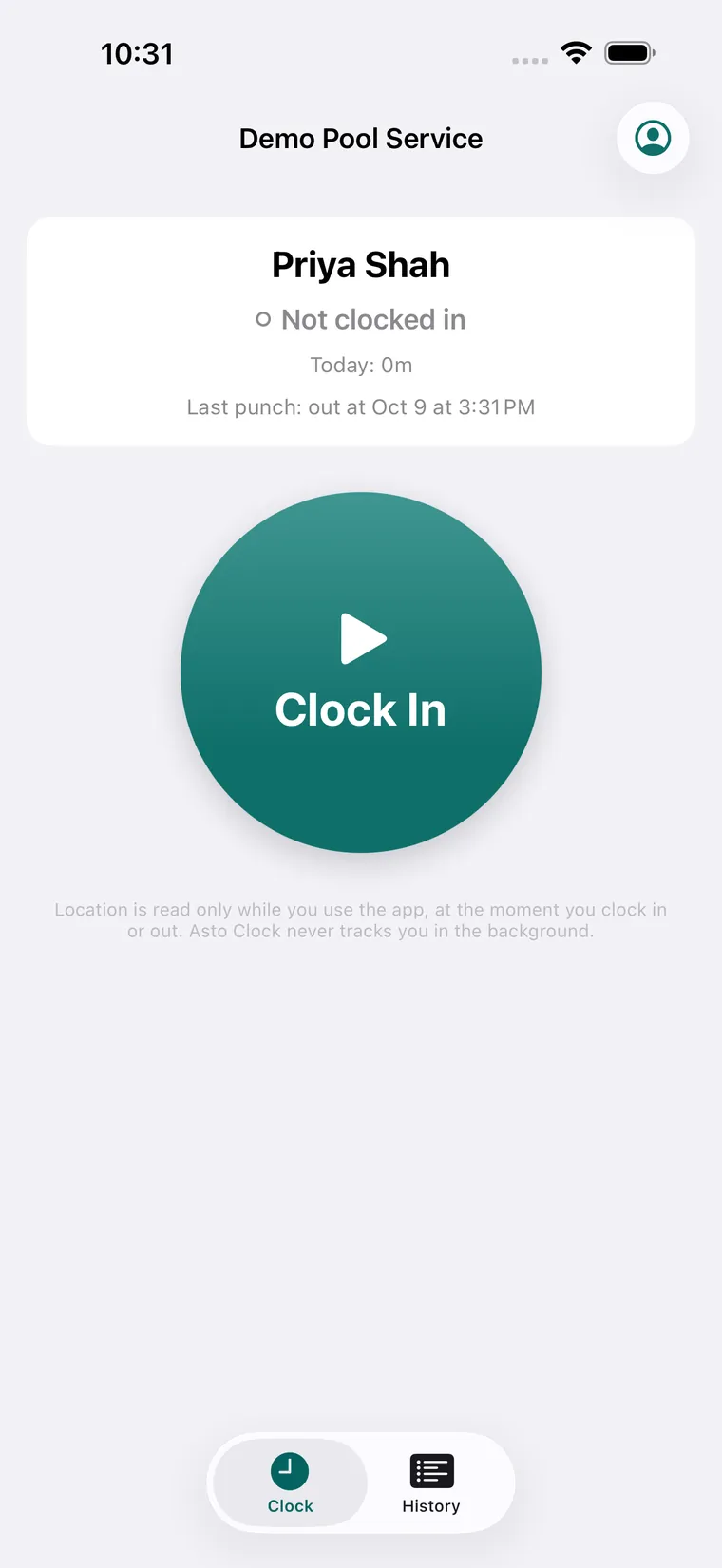
Asto Clock on an iPhone: the crew member’s name, Not clocked in, and one big teal Clock In button.

What the paper sheet is costing you.

Hand-written hours get rounded, remembered wrong and typed in twice. Here is what changes when the clock is on their phone.

On paperWith Asto Clock

Hours written in at the end of the day, from memory.

Each punch is recorded as it happens, with the time and the place.

Anyone can fill in a line for a coworker.

Punches only come from each worker’s own approved phone, behind their own PIN.

Friday night with a calculator, working out overtime.

Regular hours, overtime and time off add themselves up for every pay period.

Typing every number again into payroll.

Download the file your payroll takes, or send the hours straight to QuickBooks Online or Square.

Sheets lost, smudged or left in the truck.

Every punch kept, by person, by day and by work site.

Start free early accessFree during early access. No card.

What Asto Clock does

Clock in

One big button, on their own phone.

You add each person by name and email. They sign in once with a link or a 6‑digit code, choose their own PIN, and clock in and out with one tap. The PIN is asked once a day, at the first punch, and nobody else can see it, owner included.

  • Start Day, End Day, Lunch and Break buttons, only for the people you turn them on for.
  • For crews who drive to the job: time between sites is paid, and the drive out and home is paid the way you set it.
  • No badge, no wall terminal, nothing to buy.
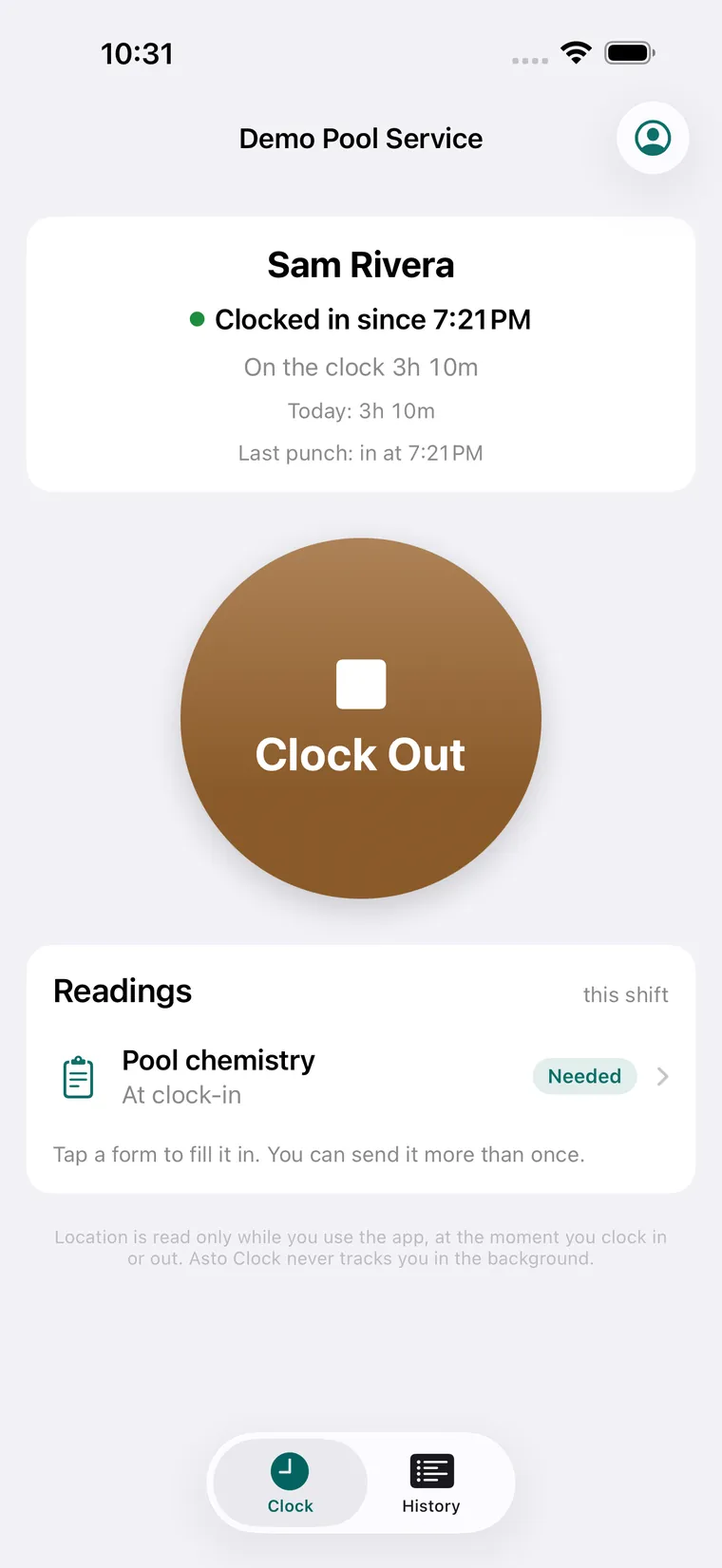
A worker clocked in since 7:21 PM, on the clock 3 hours 10 minutes, with a Clock Out button and a Pool chemistry form marked Needed.

GPS and work sites

Know where every punch happened.

Add your work sites by address, each with its own range. Every punch carries the phone’s location and is matched to the nearest site. The location is read at the moment of the punch, while the app is open. Asto Clock never tracks anyone in the background.

  • A punch outside every site still goes through, and it’s flagged for you. Your crew never sees the flag.
  • Someone has location turned off? You get one note that day, so you can ask them to turn it on.
  • Every site on a map, with its punches from the last two weeks.
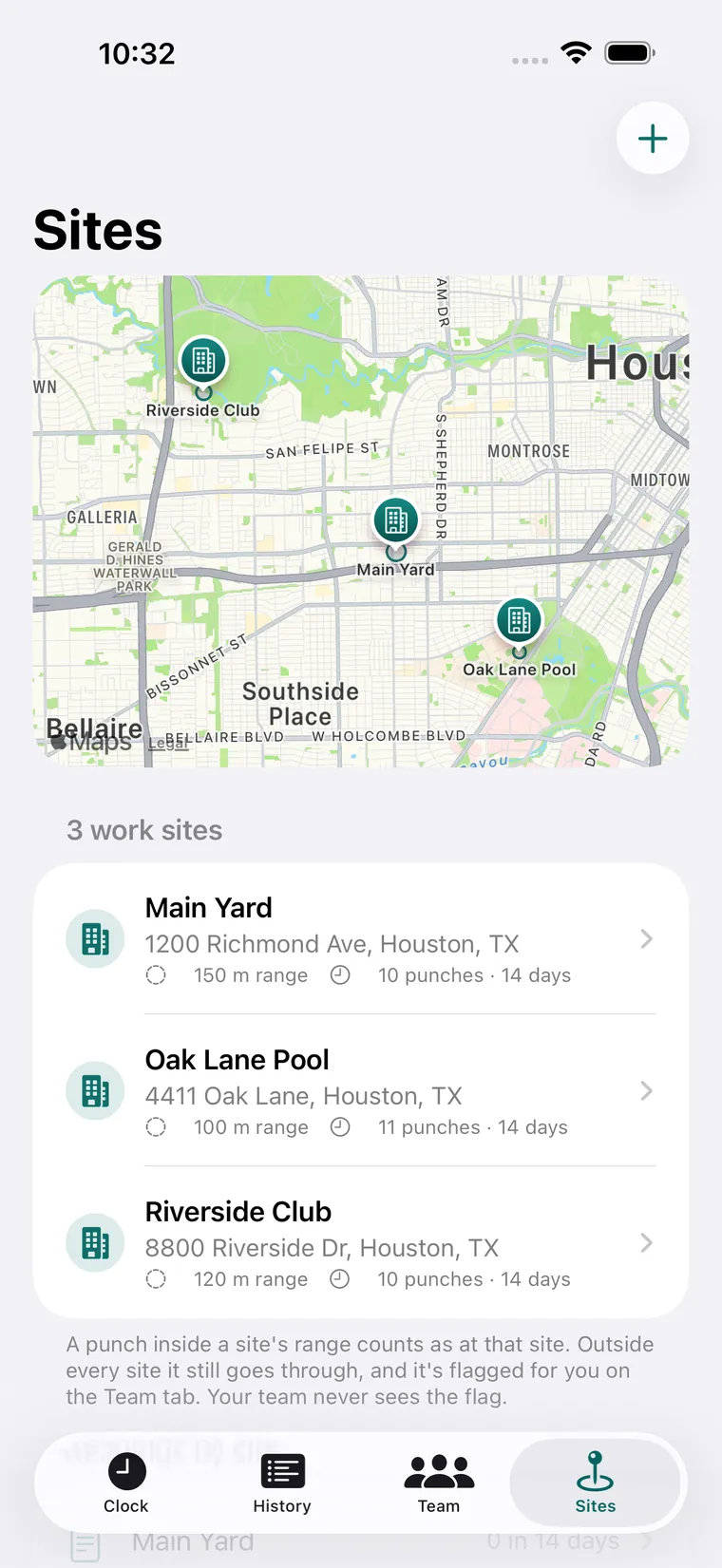
The Sites tab: a map of Houston with three work sites, Main Yard, Oak Lane Pool and Riverside Club, each with its range and punches in the last 14 days.

Phone lock

Their phone. Nobody else’s.

Each worker is locked to one phone, and every punch is signed by that phone. Nobody can clock in for a friend from another one. A new phone can sign in, but it can’t punch until you approve it.

  • Approving a new phone signs the old one out.
  • A sign-in log of every sign-in, phone change and refused punch, with the phone and the place.
  • Give your bookkeeper read-only access to all of it.
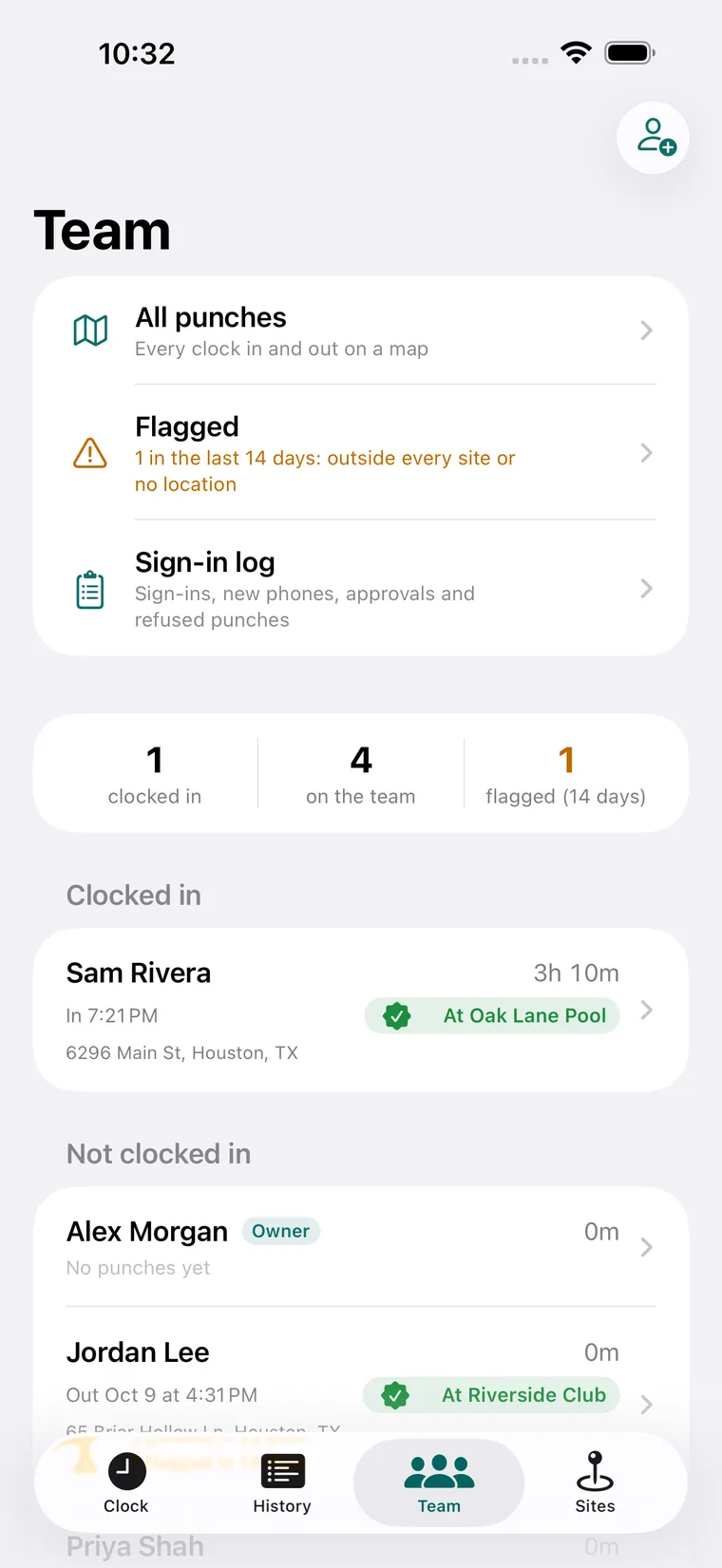
The Team tab: All punches, Flagged and Sign-in log, then 1 clocked in, 4 on the team and 1 flagged, with one worker at Oak Lane Pool.

Each person’s day

Tap a name. See the whole day.

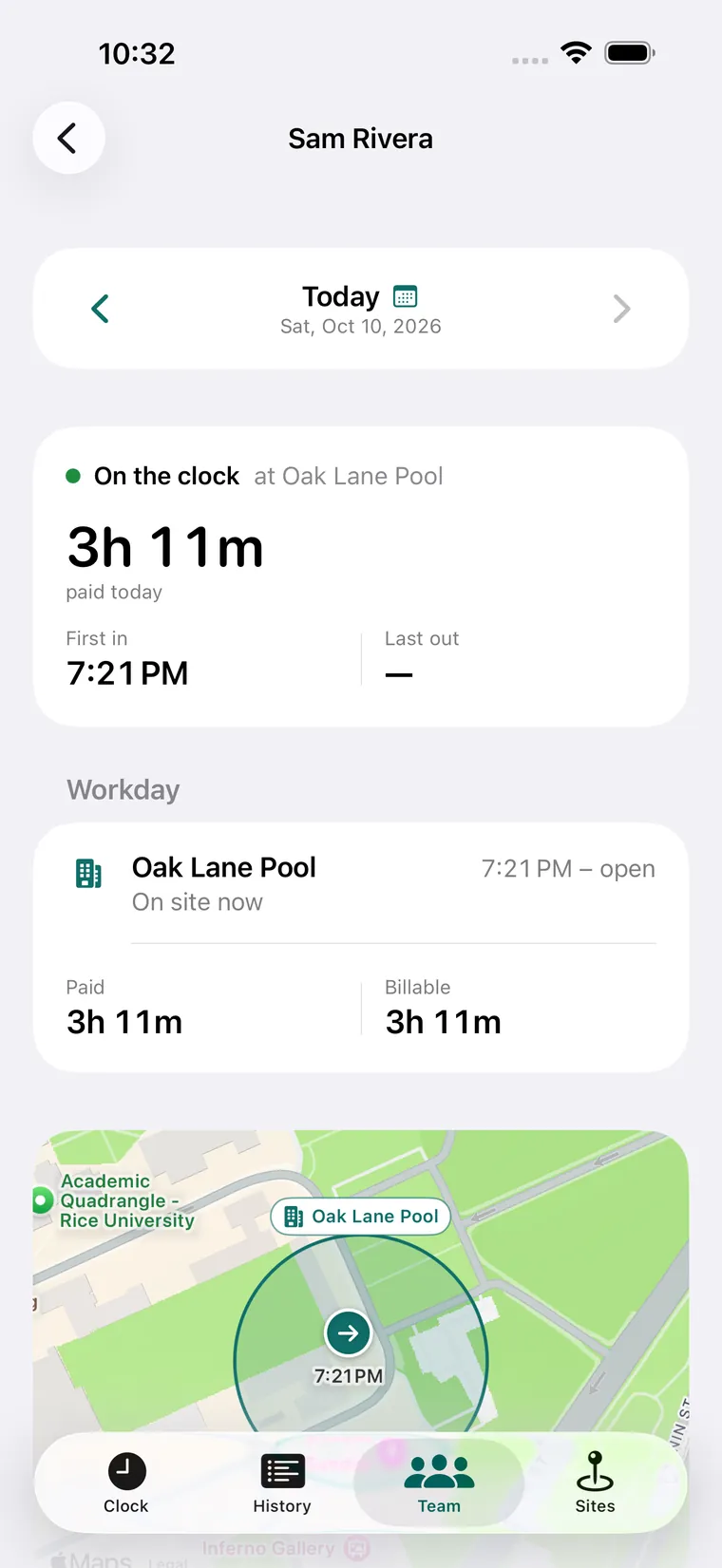
First in, last out, paid hours, time at each site and a map of where each punch happened. Lunch and breaks come out the way you set them, and anyone who goes over is flagged for you alone.

  • Billable hours for each work site, with no drive, lunch or break time in them.
  • Step back through any day, or open the last two weeks.
One worker’s day: on the clock at Oak Lane Pool, 3 hours 11 minutes paid today, first in at 7:21 PM, and a map of the site’s range.

Forms on the job

Your paper forms come along too.

Make your own forms for a shift: numbers with units, notes, yes or no, choices, photos. Ask for them at clock-in, at clock-out or any time on the clock, and see which shifts are missing one. They still go in with no signal and send themselves later.

Already have a paper form? Take a photo of it. Asto Clock’s AI drafts the form from it, and nothing reaches your crew until you check it and save.

Scheduling and time off

The week, planned. The time off, handled.

  • Build the week

    Shifts by person, time and work site, with a note. Copy last week to start the next one.

  • Publish it

    Your crew sees only what you publish, and gets an email with their shifts, or with just what changed.

  • Late and missed

    A shift with no clock-in shows as late, then missed. You see it; your crew doesn’t.

  • Time off

    Vacation, sick or unpaid, by the day or by the hour. Approve, change the hours or decline, and the worker hears either way.

  • Balances

    Optional accrual, like an hour of sick time for every 30 worked, with a cap if you want one.

  • Overtime

    Over 40 hours a week at 1.5×, or your own numbers, plus a daily limit for states that have one. Time off never counts toward it.

Payroll

Payroll gets the hours. Nobody retypes them.

Set your pay period: weekly, every two weeks, twice a month or monthly. Each person’s regular hours, overtime, vacation and sick time are ready for it, laid out the way your payroll takes them.

Send straight to

  • QuickBooks Onlineeach day’s time, by site
  • Squaretimecards, breaks included

Or download the file for

  • Gusto.csv
  • QuickBooks Desktop.iif
  • ADP Workforce Now.csv
  • RUN Powered by ADP.csv
  • Paychex Flex.csv
  • Xeroa sheet to key in
  • Any spreadsheethours by person and site

On whatever phone your crew has.

iPhone

The Asto Clock app, coming to the App Store. A punch made with no signal stays on the phone and sends itself when it’s back online.

Android

Asto Clock in Chrome, added to the home screen. The same email sign-in, their own PIN, GPS and phone lock. Nothing to download.

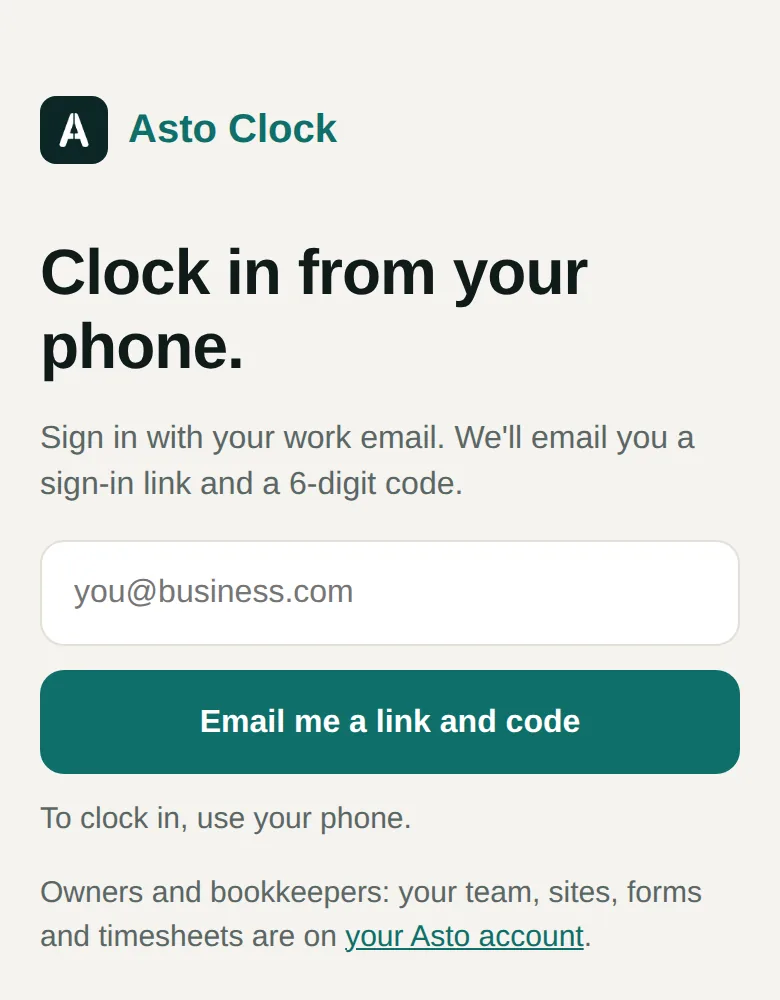
Asto Clock in a phone browser: Clock in from your phone, with a work email box and an Email me a link and code button.

You, the owner

Team, sites, schedule, time off, timesheets and payroll, in your Asto account in any browser. On the iPhone app, the Team and Sites tabs let you approve a phone and see who’s in and where, from the job.

How it compares.

The well-known time clock apps, on the things Asto Clock does. Theirs are as each company describes them on its own pages.

Feature Asto Clock Homebase Connecteam When I Work QuickBooks Time
Clock in on the worker’s own phoneYesYesYesYesYes
Location with each punchAt the moment of the punch, never in the backgroundGPS time clockAt clock-in, plus a live GPS trail while on the clockGPS on each punchGPS while on the clock
Work sites with a set rangeAny number; off-site punches flagged for youGeofencingGeofenced work areasGeofencingGeofence reminders, on its Elite plan
Stopping a coworker clocking in for someoneTheir own PIN, and punches only from their approved phonePIN codes and clock-in photosPIN or selfie on its kiosk tablet, and locationPhoto clock-insOptional face recognition on its kiosk
Shift schedulingYes, with late and missed shifts flaggedYesYesYesYes
Time offRequests, approvals and accrued balancesRequestsRequestsTracks time offRequests and balances
OvertimeWeekly and daily rules, split out for payrollAutomatic tracking and alertsDaily limits and overtime ratesOvertime alertsFigured by state and federal rules
Payroll hand-offGusto, QuickBooks, Square, ADP, Paychex, Xero or a spreadsheetADP, Gusto, QuickBooks Online Plus, or its own payrollPayroll sync, or PDF and XLS exportRippling, ADP, GustoQuickBooks, and 50+ other apps
Your own forms, filled on a shiftYes, and drafted from a photo of your paper form—Forms and checklists, a separate Connecteam product——

From each company’s own time clock pages, read October 16, 2026, and Intuit’s help pages for QuickBooks Time’s time off. A dash means it isn’t listed there. What each offers can depend on its plan. Homebase, Connecteam, When I Work and QuickBooks are trademarks of their owners; Asto isn’t affiliated with any of them.

Questions owners ask.

What does it cost?

Asto Clock is free during early access, and you don’t need a card to start.

Does everyone need an iPhone?

No. iPhone workers use the Asto Clock app, coming to the App Store. Android workers use Asto Clock in Chrome and add it to their home screen. Both sign in the same way and have the same PIN and phone lock.

Does it track my crew all day?

No. The phone’s location is read once, at the moment of a punch, while the app is open. If a worker has location off, the punch still counts and you get a note so you can ask them to turn it on.

What if someone forgets their PIN, or gets a new phone?

They sign in by email again and set a new PIN; nobody else can see or reset it. A new phone can sign in right away, and it can punch once you approve it.

Can I keep my payroll company?

Yes. Asto Clock makes the import file for Gusto, QuickBooks Desktop, ADP Workforce Now, RUN Powered by ADP and Paychex Flex, a sheet laid out for Xero’s timesheet screen, or a plain spreadsheet, and can send hours straight to QuickBooks Online or Square.

Who sees the flags and the sign-in log?

Only you, your time clock admins and your bookkeeper. A worker’s own screens never show a flag, a distance or another worker’s hours.

Put your crew on the clock.

Start in about a minute: confirm your email, add your team by name and email, and they clock in from their phones. Free during early access. No card.

Start free early access