Online bookingA calendar for each personGoogle Calendar sync
Booked while you work.
Asto Booking gives your business a booking page and a calendar. Customers pick a service, a person and a time that’s really open. They get a confirmation and two reminders. You get a calendar that fills itself, and no phone to answer.
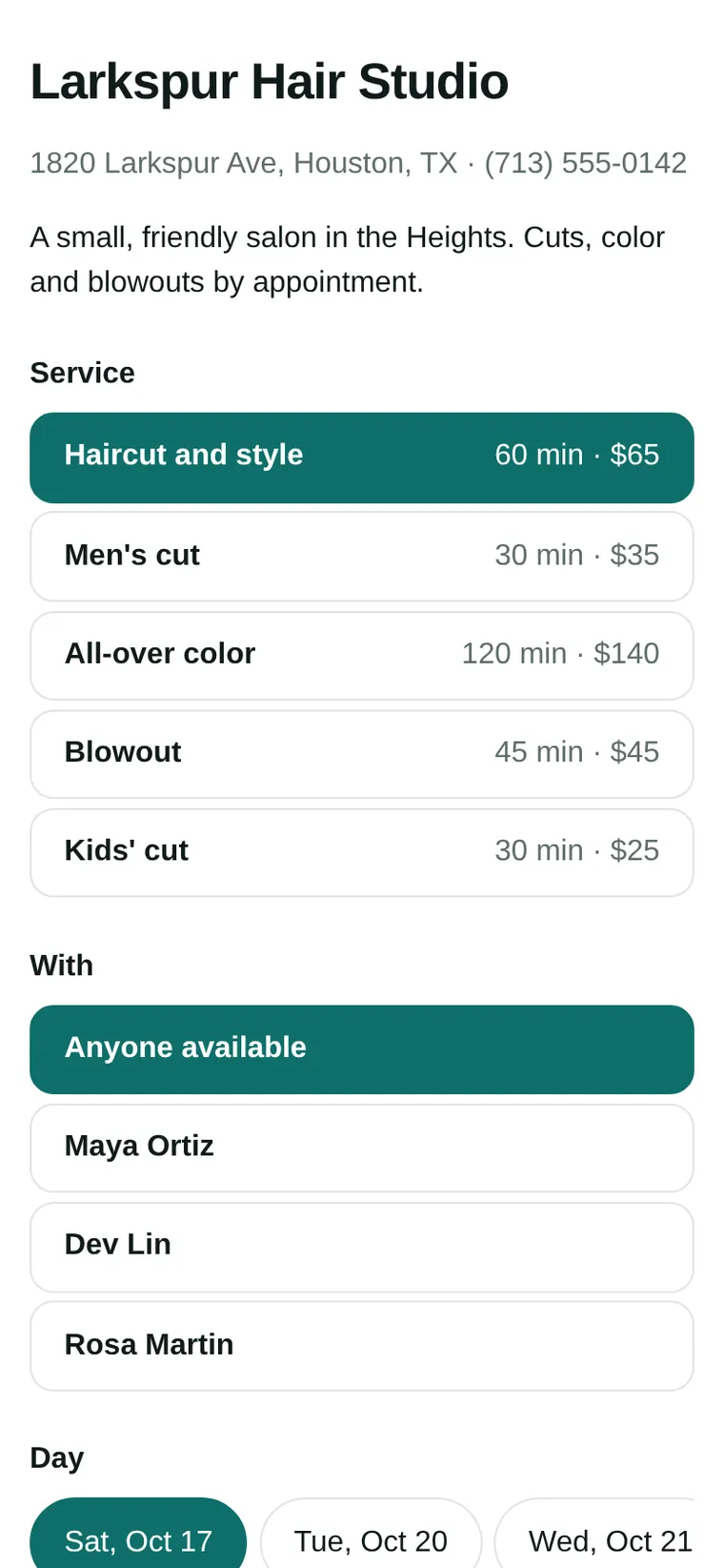
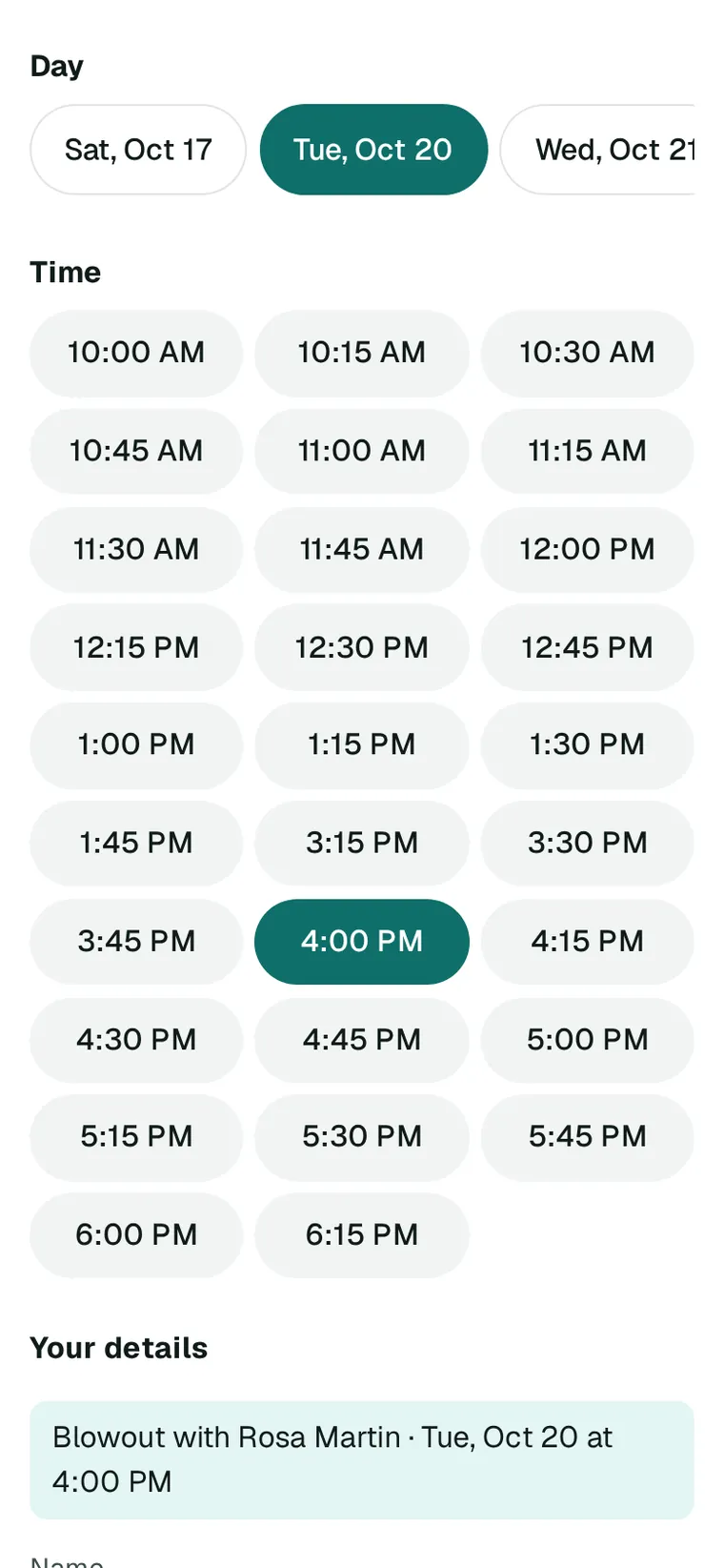
Your page lives at goasto.com/book/your-business. Share the link, put it in your Instagram bio, or put the whole page on your own website with one line of code. Customers pick a service, a person or Anyone available, a day and a time, then leave their name and email.
Each service with its length, its price and a break after it.
Nothing for customers to download, and no account to make.
Confirmations and reminders
Confirmed now. Reminded later.
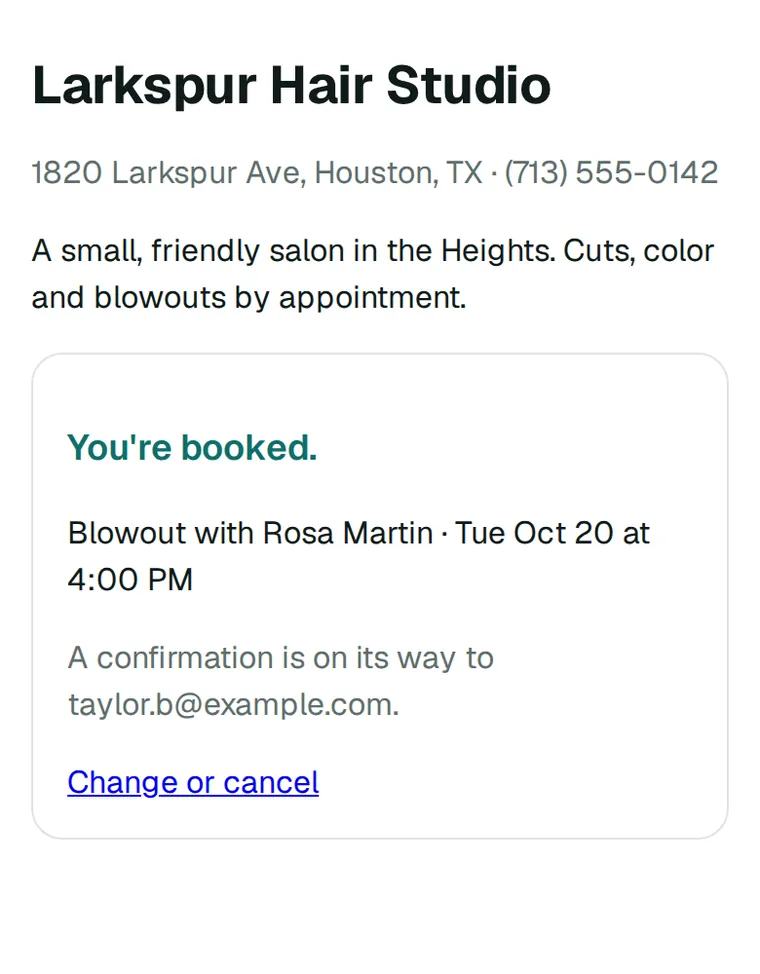
The moment they book, customers see their booking and get a confirmation by email, with a link to change or cancel. A reminder follows 24 hours before, and another 2 hours before. You get an email for each new booking, move and cancel.
Customers move or cancel themselves, up to the start time.
Move a booking yourself, and the customer is emailed the new time.
Your team
A calendar for each person.
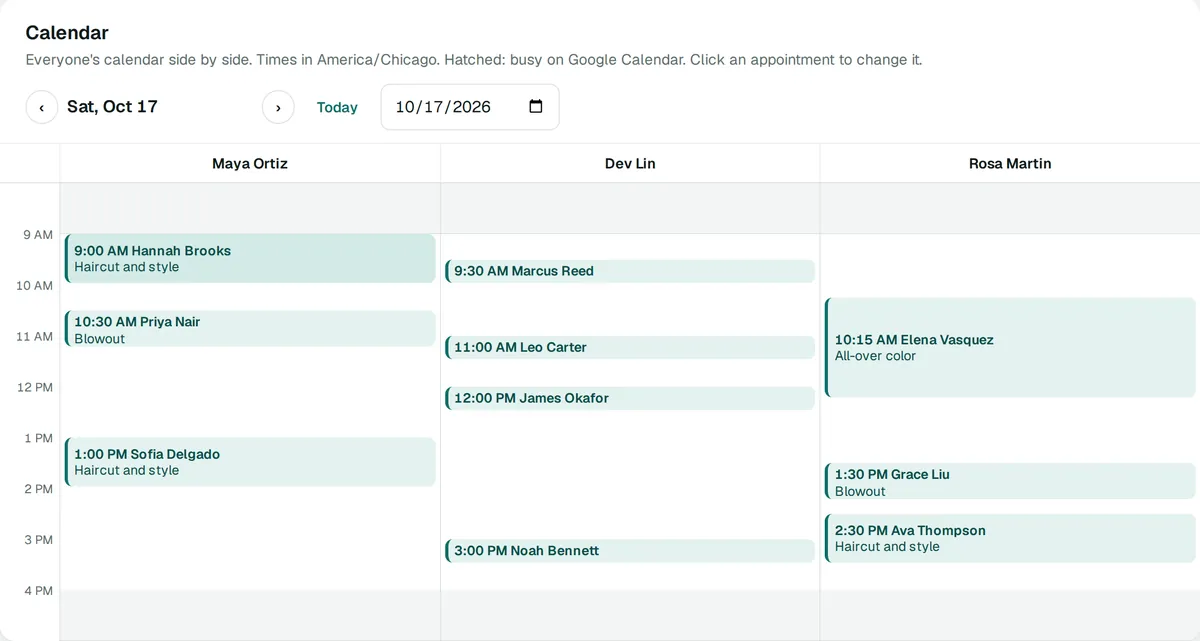
Add the people who take bookings, up to 100, each with their own hours, services and days off. Customers can pick someone, or choose Anyone available and go to whoever is least booked that day. Each person signs in and sees only their own calendar; you see everyone side by side.
Two-way Google Calendar, for you and for each person: every booking goes onto it, and times you’re busy there can’t be booked.
goasto.com/account
On your phone
Your day, in your pocket.
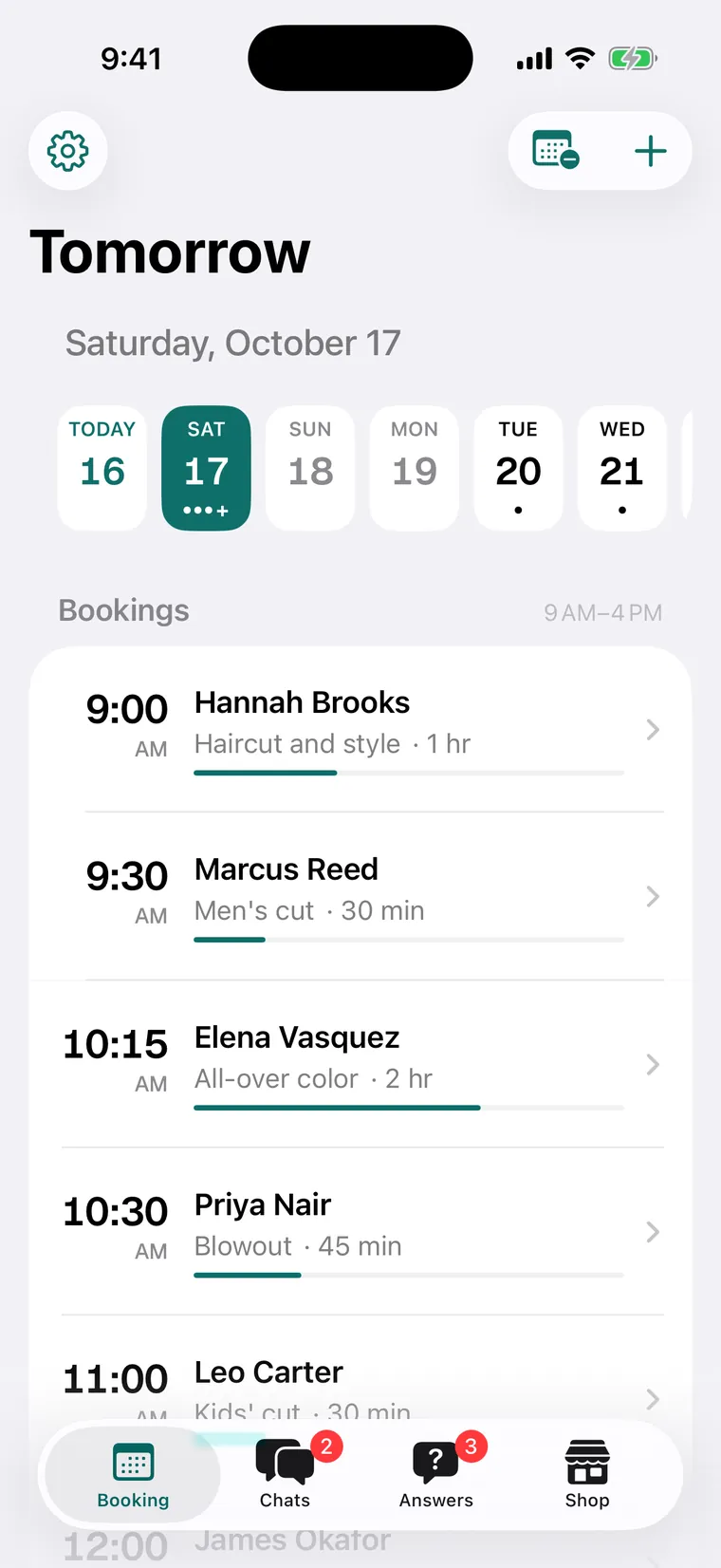
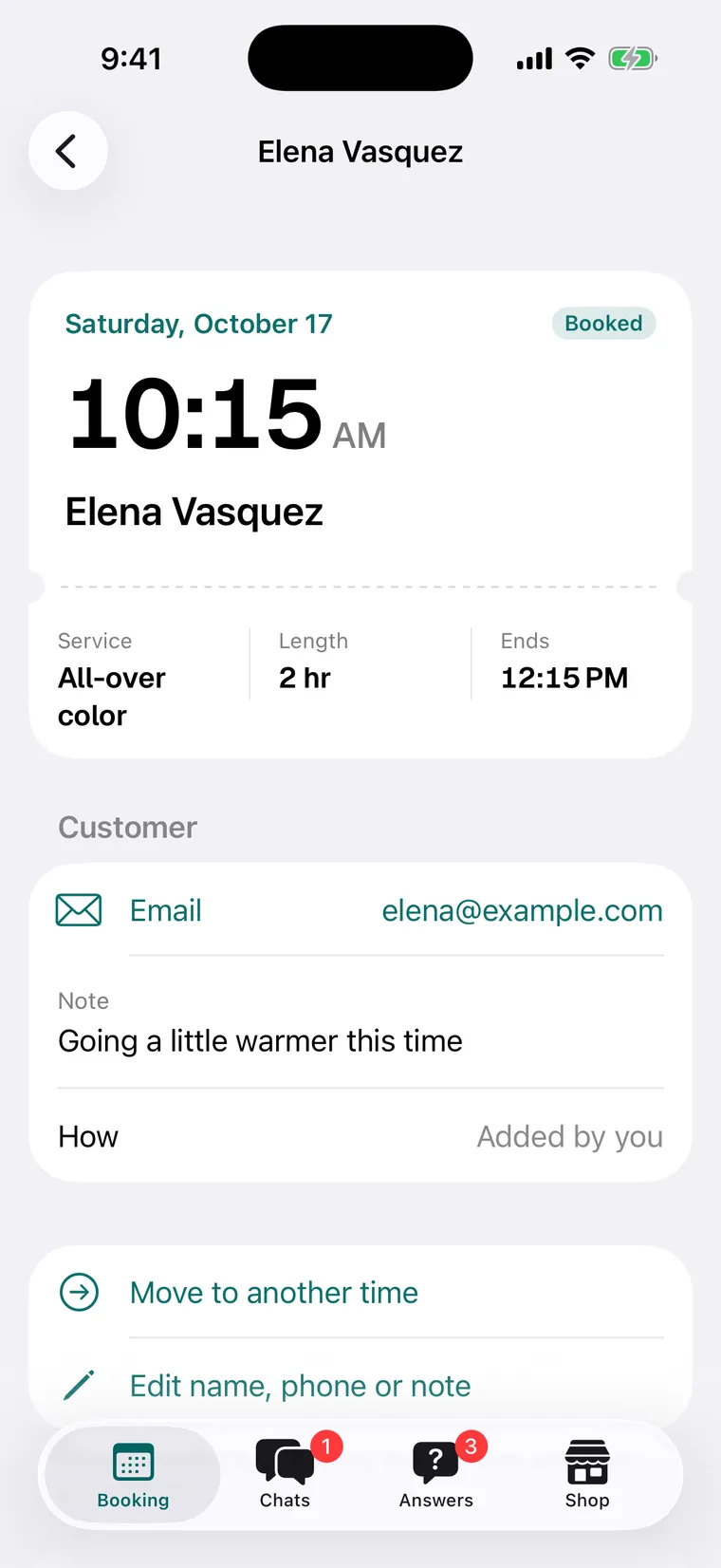
In the Asto Pro iPhone app, coming to the App Store: today and the days ahead, each booking with the customer’s details and note. Add one by hand, move it, cancel it, or mark it done or a no-show.
A push for each new booking, and an email for every new booking, move and cancel.
Block off a day, or change your services and hours, from the app.
Also in Asto Booking
The small things that keep the day running.
Your hours and rules
Weekly hours with as many stretches a day as you need, days off, how much notice you need, how far ahead people can book, and how often start times come up.
Book for them
Add a booking yourself for someone who calls, even outside your hours, but never on top of another one.
Done or no-show
After the start time, mark each booking done or a no-show, so you know who came.
An assistant, if you want one
With Asto Pro on your website, its assistant gives customers your booking page when they ask for a time. Booking runs fine without it.
What you’ve used
Your account shows this month’s billable bookings and the amount so far.
Software, not a chat bot
Booking is a calendar and a page. Nothing is decided for you by AI.
How it compares.
The well-known booking tools, on the things Asto Booking does. Theirs are as each company describes them on its own pages.
Feature
Asto Booking
Calendly
Square Appointments
Acuity
Setmore
A booking page to share
goasto.com/book/your-business
Yes
Yes, and a QR code
Yes, and a QR code
Yes
On your own website
The whole booking page, with one line of code
Website embeds
A booking widget
Embeds on your site
A website plugin
A calendar for each person
Up to 100, each with their own hours, services and sign-in
Multi-host scheduling
Staff log in to their calendars
Per staff member or location
Staff logins
Google Calendar
Two-way, for you and each person
Checks your calendars for conflicts
Blocks your Google events
Syncs your calendars
One-way, or two-way on its Pro plan
Email confirmation and reminders
Confirmation, then 24 hours and 2 hours before
Reminder emails
Email reminders
Confirmations and reminders
Email confirmations
Services, hours and time off
Length, price and break per service; hours and days off per person
Event types, hours and buffers
—
Appointment types, hours per type, blocked time
Service menu and availability
Booking from an AI chat
Optional: Asto Pro’s assistant sends your booking page
—
Square Assistant confirms, cancels or reschedules
Booking Assistant, on its Premium plan
—
Owner’s iPhone app
In Asto Pro, coming to the App Store
Yes
Yes
Yes
Yes
From each company’s own feature pages, read October 16, 2026. A dash means it isn’t listed there. What each offers can depend on its plan. Calendly, Square, Acuity Scheduling and Setmore are trademarks of their owners; Asto isn’t affiliated with any of them.
Pricing
Asto Booking pricing
$1a booking
Never more than $50 a month. A card is asked when you turn Booking on.
A module on your Asto account.
Your card is for Asto’s fee. Your customers book for free.
No extra charge for staff calendars, Google Calendar or reminders.
Your account shows what you’ve used so far this month.
Start with your email: we send a code, and your Asto account opens on Booking. Turn it on there. It asks for your business name, and a card if Asto doesn’t have one for you yet. Then add your services and hours, and share your page.
Do customers pay when they book?
No. Your prices show on your page, and customers pay you the way they always have. The card Booking asks for is yours, for Asto’s fee.
Is it AI?
No. Asto Booking is a calendar and a booking page. If you also use Asto Pro on your website, its assistant gives customers your booking page when they ask for a time, but Booking never needs it.
Does it work with Google Calendar?
Yes, both ways, for you and for each person on your team. Every booking goes onto the calendar you choose, and times you’re busy there can’t be booked.
Can customers change their booking?
Yes. Their confirmation email has a link to change or cancel, up to the start time, and you’re told when they do.
Is there an app?
Your bookings are in the Asto Pro iPhone app, coming to the App Store, and in your Asto account in any browser. Customers don’t need an app at all.
Asto Booking
Let them book themselves.
Turn it on, add your services and hours, and share your page. The calendar fills while you work.

 Asto
Asto